How to turn a GIF into an animated sticker
That perfect reaction GIF deserves a second life. With GIF Sticker Maker you turn any GIF into an animated sticker you can send again and again, with your own words on top.
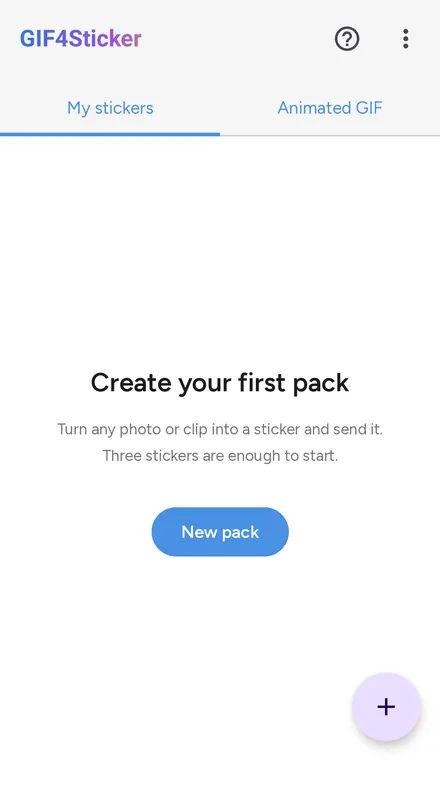
Tap + and choose Animated
Start a new animated sticker pack.
Open the GIF tab
Search the built-in GIF library or pick a GIF from your phone.
Trim the loop
Keep only the part of the GIF you want and set the speed.
Add your words
Write text with 11 fonts and 18 colors, or add emoji.
Add and send
Tap Add and your GIF sticker is ready to use in your chats.
What does GIF mean?
GIF stands for Graphics Interchange Format, the looping animation behind every reaction you have laughed at online. A GIF sticker keeps that loop but drops the box around it, so it sits in the chat like a real sticker.
GIF to sticker ideas
Good morning greetings, birthday wishes, funny reactions, love messages for your partner, and the inside jokes only your group understands. Pick the GIF, add one line of text, and it becomes yours.
Have a video instead?
The same editor works for clips from your gallery: see video to sticker, and clean up busy backgrounds with AI background removal.
Frequently asked questions
Can I turn a GIF into a sticker?
Yes. Open the GIF tab, search for the reaction you want or pick a GIF from your phone, edit it, and add it to an animated pack.
Where do the GIFs come from?
GIF Sticker Maker has a built-in GIF search, so you can find reactions without leaving the app. You can also use any GIF saved on your phone.
Can I add text to a GIF sticker?
Yes. Add your own words with 11 fonts and 18 colors, including Arabic fonts, plus emoji and sticker layers.
How many GIF stickers fit in one pack?
Up to 30 animated stickers per pack.
Is it free?
Yes. GIF Sticker Maker is free on Google Play and needs no account.
Turn your first GIF into a sticker